
A hands-on comparison of Adobe Express vs Google Workspace for filmmakers, exploring design, collaboration, and real-world workflow stress tests.
hello world!

Canva for Teams (Enterprise)
Summary
In many professional circumstances, Canva cannot do the job from start to finish as an all-in-one solution in the same way as the Adobe Suite can. I provided some examples throughout this article for reference.
However, in most real-life use cases, Canva does the essentials quite well, such as blog posts, fliers, posters, and stock imagery. The features and pricing of Canva for Teams make it an excellent cloud-based graphic management tool for marketers and pseudo-graphic designers.
One standout feature is Canva's licensing agreement on all plans. Competitors have much more complex and limited licensing terms that end after you stop paying.
Canva is an Australian graphic design program that helps users create various things, such as presentations, logos, and posters. Canva was originally a wedding invitation site that gradually added more and more features.
Canva is a powerful tool; it can turn anyone into a semi-professional graphic designer.
Because of how easy Canva is to use, one massive benefit of Canva is that Professional graphic designers might find themselves avoiding scope creep because your team can make simple modifications themselves.
The significant difference between Canva Pro and Canva for Teams is easy to imagine with the following example. Canva Pro does not have role settings. With Canva for Teams (Enterprise), you can create a professional template, share it with your team, and lock design changes. Then your team can modify the parts they have permission to change, like the text. Then, without needing Photoshop, InDesign, or Figma, they can print fliers or posters by themselves from the dropdown menu. All while enforcing brand standards.
With Canva for Teams, a template isn't housed in a tool that your marketing team might not know how to use, so you're never the one bothered with changing out the text.
A Canva Pro and Canva for Teams (enterprise) subscription is worth it just for stock images.
The value you get from Canva Pro, and Canva for Teams is hard to top.
As a comparison, Adobe Stock Images has a wider selection and is better in some ways. However, the basic plan is $29.99 for only ten images a month. Compare that to Canva Pro, which has no limits on photos and starts at $9.99 a month.
I have designed logos, advertisements, eBooks, event fliers, blog images, and more in the past few years with Canva for Teams (enterprise).
My team has saved hundreds of hours making professional-looking assets in Canva, plus my team could easily comment on and share the designs.
However, Canva is not an all-in-one solution. Suppose you want to edit a graphic uploaded to Canva; good luck.
Canva is also easy enough to use that my team can easily collaborate on a design. It requires no special training to figure out how to use Canva. Canva has the functionality to make stylistic changes quickly; with a click of the mouse, you can change the colors of the graphics they provide.
Canva Pro and Canva Teams have many of the same features.
Benefits of Canva
Canva critique
Things that are easy in Photoshop, like gradients, or changing the color of your logo, are not things you can easily do in Canva - unless you made your logo in Canva. You may also find that things that should be easy to do, are not always easy in Canva.
Sometimes you want to crop a person's face out with another person's face; you may think that is not an actual use case, but I've photographed plenty of events where just one person in the image is off, and you need to fix it before it gets sent to press. That is not a use case for Canva.
| Feature | Canva Free | Canva Pro | Canva for Teams (Enterprise) |
|---|---|---|---|
| Pricing | $0 | $119.99 | $149.90 |
| Drag-and-drop editor for easy customizations | ✔️ | ✔️ | ✔️ |
| Free templates | 250,00 | 610,000 | 610,00 |
| 100+ design types (social media posts, presentations, letters, and more) | ✔️ | ✔️ | ✔️ |
| Free photos and graphics | 1 Million | 100 Million | 100 Million |
| Invite others to design and work with | ✔️ | ✔️ | ✔️ |
| Wide range of printable products to design and get delivered to your door. | ✔️ | ✔️ | ✔️ |
| Cloud storage | 5 GB | 1 TB | 1 TB |
| Dedicated project folders | ❌ | ✔️ | ✔️ |
| Resize designs infinitely with magic resize | ❌ | ✔️ | ✔️ |
| Schedule social media content | ❌ | ✔️ | ✔️ |
| 24/7 support | ❌ | ✔️ | ✔️ |
| Unlimited premium content | ❌ | ✔️ | ✔️ |
| Remove the background from stock images. | ❌ | ✔️ | ✔️ |
| Brand Kits | ❌ | ✔️ | ✔️ |
| Brand design approval | ❌ | ❌ | ✔️ |
| Turn your team's designs into branded templates. | ❌ | ❌ | ✔️ |
| Workflows, activity logging, roles, and tasks | ❌ | ❌ | ✔️ |
| Set which elements can be edited with template locking | ❌ | ❌ | ✔️ |
You can look at the different pricing tiers on Canva's pricing page here.
Canva Pro
Summary
Canva Pro is excellent for individuals who need affordable stock imagery. It is easy to upgrade a Canva Pro license to a Canva for Teams (enterprise) license.
Canva Pro has many more features than Canva Free and many of the same features as Canva for Teams. Canva Pro has folders and brand kits but lacks a formal approval process and brand controls. If you want a centralized place for users to edit your designs without copying them into their own Canva account, then Canva for Teams is what you want.
Canva Pro starts at $119.90/year (you save 16% if you pay annually)
Canva for Teams is $149.90/year for two people (you save 16% if you pay annually)
If you're making a lot of designs, I highly recommend paying for Canva Pro. You only need Canva for Teams if you have a team.
Have you ever needed a quick and easy vector file, like an icon to use on a website, something that you might find in the Wikimedia commons?
Attribution can be an issue for graphic designers. I recall downloading generic-looking vector graphics from various creative commons websites.
You might be surprised that those Creative Commons images require attribution. That's right, often images in the public domain still require attribution.
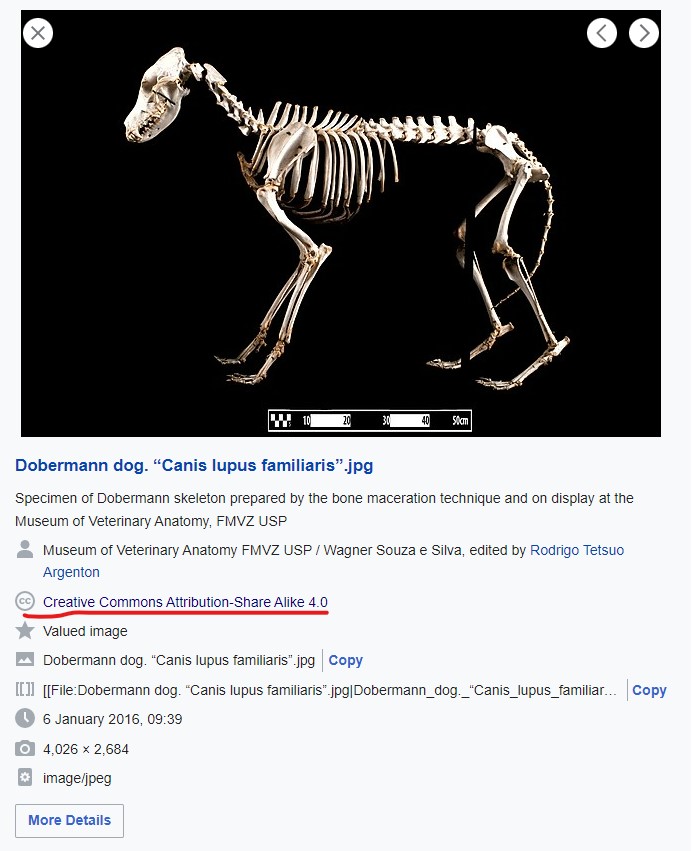
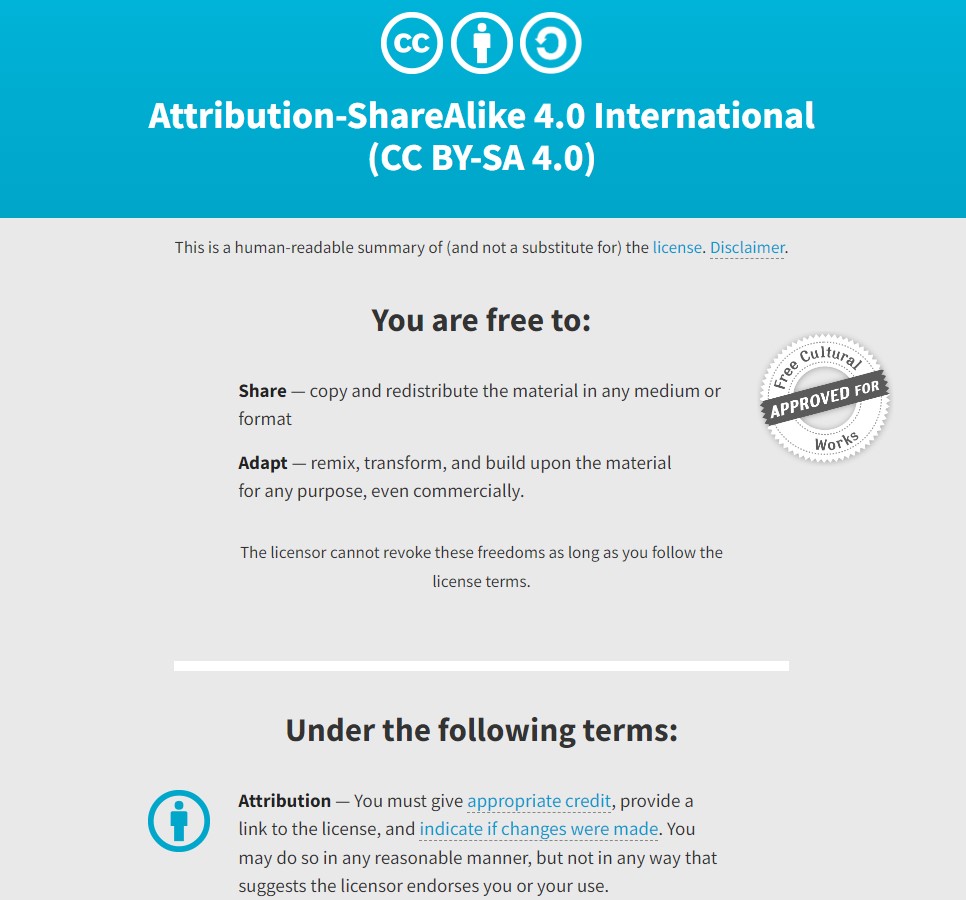
Problem: Those simple vectors were part of a typical SEO strategy, and in the tiny fine print, it would read that you can use the vector in your designs as long as you provide attribution and a backlink.
I do not mind providing attribution for images by museums, but I’m not looking to give backlinks to everyone who provides a generic vector file.
In the old days, I'd have to make graphics by hand, scan the internet to find free graphics, or pay for the licensing.
That is not needed most of the time in Canva. Canva has free vector filers, stickers, shapes, templates, and stock imagery. The free version has all the same benefits.
For only $9.99 a month, you get premium access to 100 million graphics that you can use in most cases.
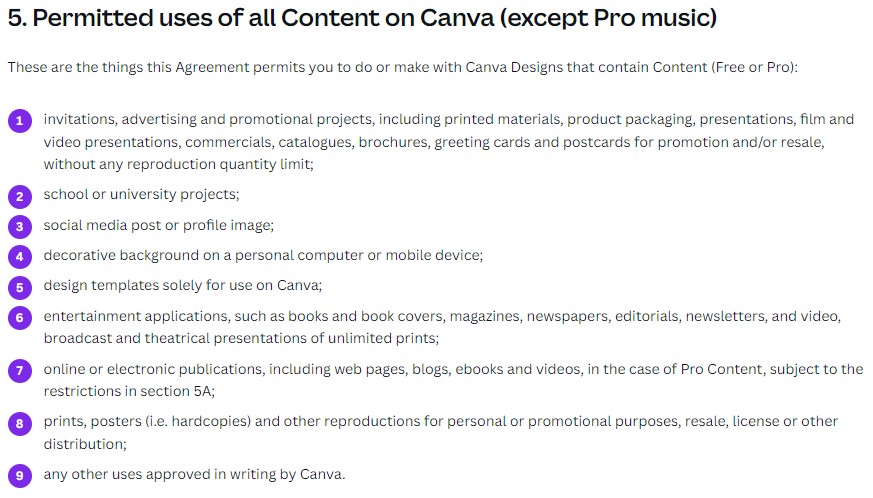
Read their licensing agreement carefully, as there are still some limits.
A GIF is an image format that allows you to create images that move.
In display advertising, GIFs are usually the final version you send to web advertisers. Most web advertisers use standardized IAB ad sizes, so the pixel height and width are generally predetermined.
The final sizes, in terms of megabytes and frames per second, can vary from web advertiser to web advertiser. Generally, the GIFs must be small, usually less than 150kb, around 4-6 frames per second (FPS), and not cause epilepsy.
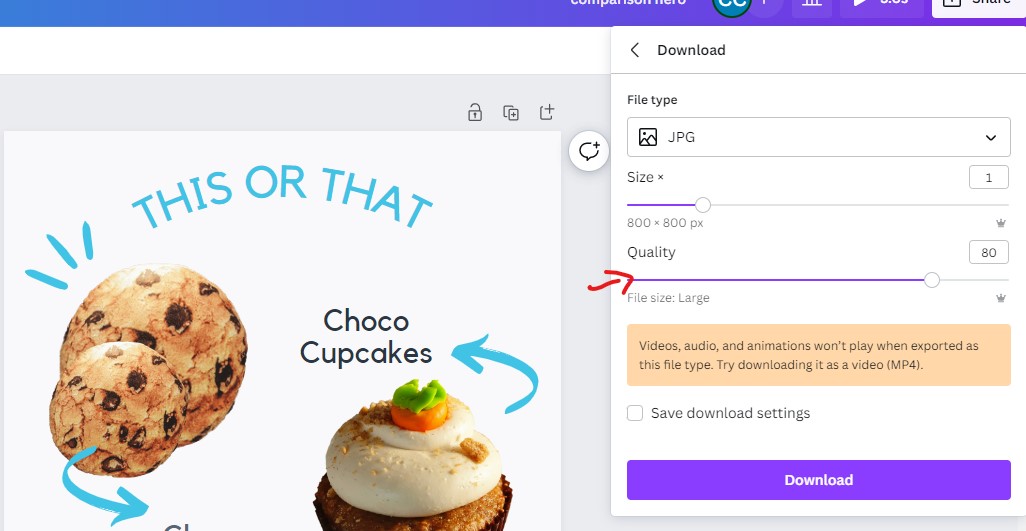
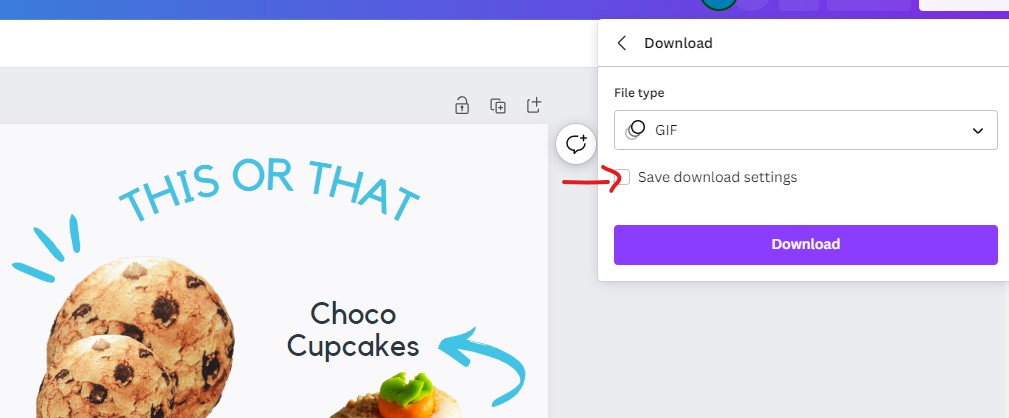
Google Ads requires GIFs to be 150kb or less.
All the GIFs I've made in Canva have been 1 MB or more at 30 frames per second (FPS). GIFs in Canva cannot be compressed enough to meet web advertisers' requirements.
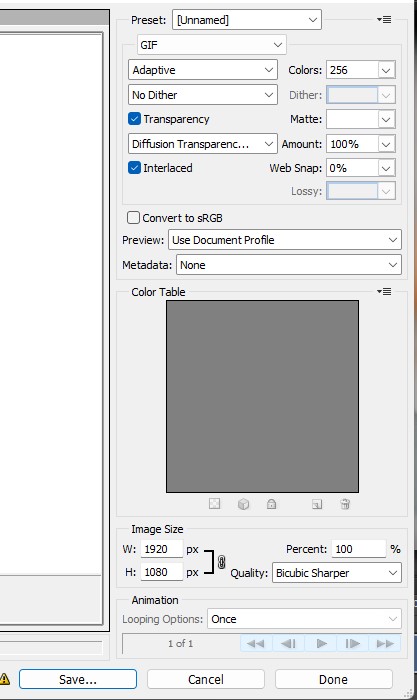
One workaround for the lack of image compression in Canva is to export Canva designs as GIFs, then convert those GIFs into the correct dimensions with Photoshop.
Photoshops' "Save for the web" option is fantastic and offers many controls on image formatting that allow you to retain quality while compressing a file as much as 90%.
Using Photoshop is not an ideal scenario. The plus side is that only one team member needs to know how to use Photoshop.
Canva has 100 million photos, icons, illustrations, video, audio, fonts, stickers, graphics, and templates. They source images from Pixaby and Pexels. Their designs are sourced through public submission, and when you use a pro design with a star on it, a designer somewhere gets a fraction of a cent.
That's right; you support designers when you use Canva Pro images.
If you use stock images without modification, there is a high chance someone else is already using the same designs.
Doing a reverse image search of an image I used on a marketing website returned the following results.
Lots of sites use the same graphics.

Using the same image as someone else isn't inherently an issue; most sites don't need to worry about being 100% unique; most sites have problems just passing as professional.
Most sites should worry more about licensing costs than uniqueness. It only really matters if you are running a big global brand; at that point, you might want to try using unique images.
In essence, Canva has a lot of flexibility with its image licensing. You can create an account today and never have to worry about upgrading. And in the free version, you get the same licensing benefits even if you never start paying.
Canva has easy-to-edit templates and made it so easy to do that anyone can create designs that look professional.
Templates are an excellent way to start a design. I recall downloading PSD templates from around the web as a starting point for many of my designs. As mentioned earlier, there are websites dedicated to providing vector graphics, PSD templates, or PNG images that you can use for free, most of which require attribution or a fee. Canva solves this issue for me by eliminating the need to search beyond the Canva app for templates.
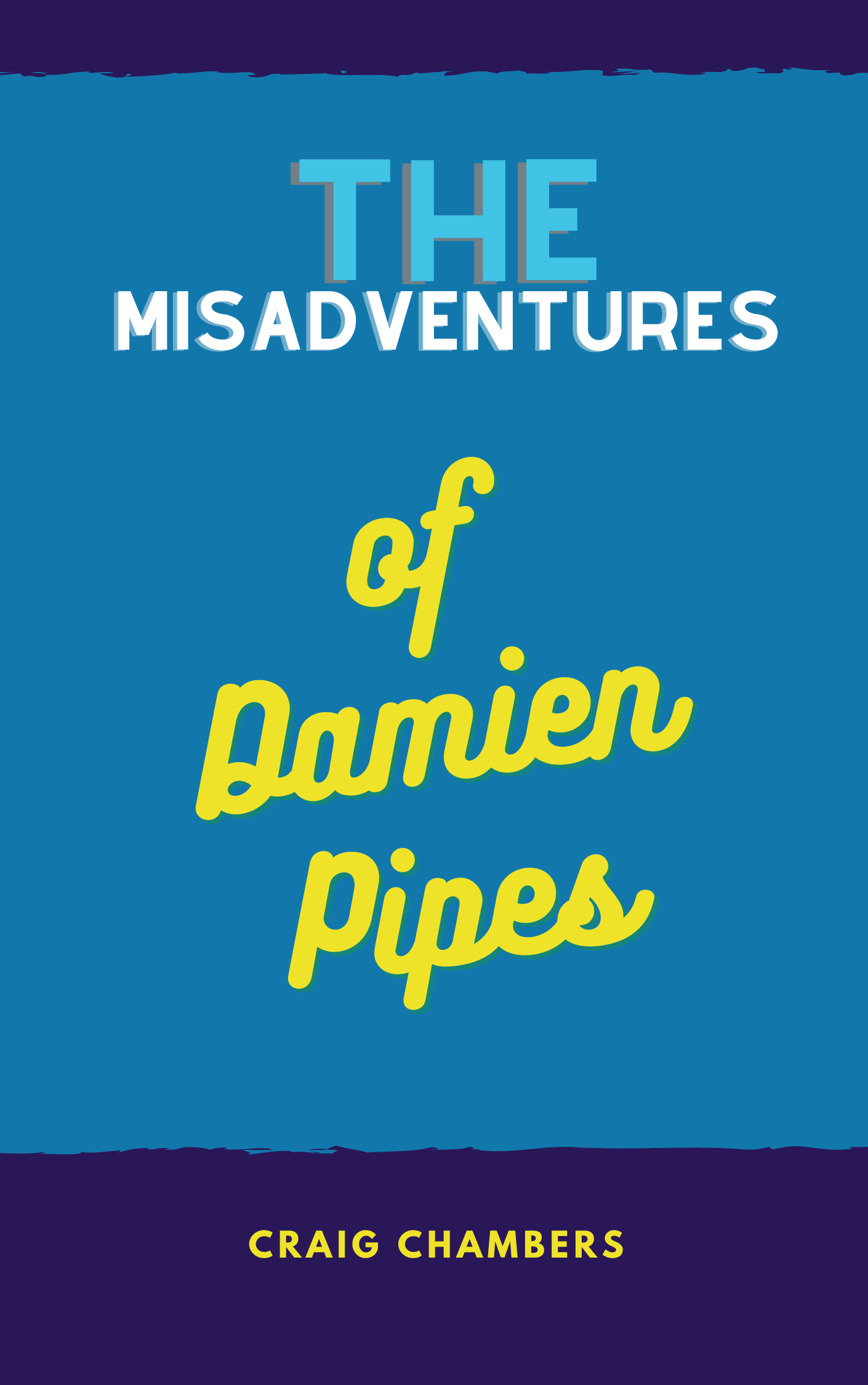
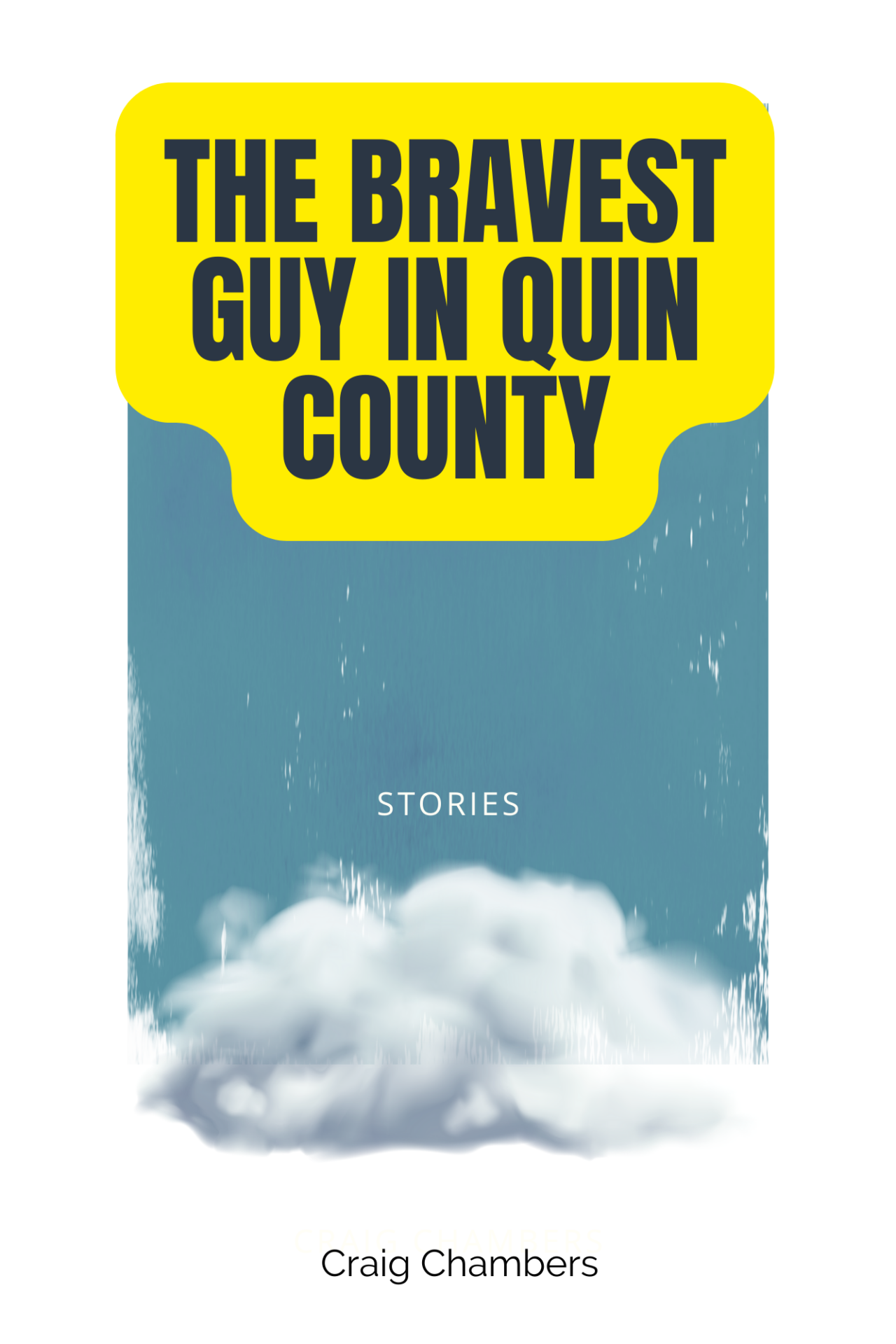
However, Canva's template selection can be overwhelmingly large in some cases and small in others. I was happy to find thousands of book cover templates in Canva.
Templates should never be your final design, but often they are a great starting point. Canva's templates saved me tons of time.
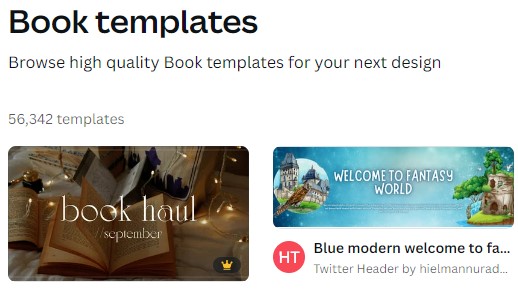
Searching for "Book templates" on Canva returned 56,432 templates.
I started the design process by searching for book templates, then cycled through designs that had the overall feel I wanted for the book covers.
After finding the template, I modified color schemes and fonts and added imagery. The result was that I could make professional book covers much quicker on my first pass.

I have some good news if you want to try Canva for Teams or Canva Pro for free.
Canva offers a free 30-day trial for both Canva for Teams and Canva Pro.
If you're not a designer, then the free trial is probably all you need to get started with Canva.
Even if you decide not to keep the upgrade, the forever-free plan has many of the same features.
I've been using Canva for a few years now and highly recommend it.
Canva makes the most basic customizations very easy. Canva's editing options are much more limited if you upload your graphics. While others, like noise filters or custom crops, are impossible.
Yes, Canva can save you lots of time and money finding stock images.
Canva offers a free 30-day trial. They also have a forever free version.
Canva for Teams is the business version of Canva Pro with a few additional features like brand controls and approvals.
Brand templates, brand controls, roles, and approvals.
Canva Pro costs $119.99 per year.
At no extra cost to you, reviewers and secret shoppers may earn an affiliate commission from links on this site. Read more about our editorial policies. Interested in working with us? Email solutions@comprable.com
A hands-on comparison of Adobe Express vs Google Workspace for filmmakers, exploring design, collaboration, and real-world workflow stress tests.
A hands-on 2026 comparison of Adobe Express vs Canva for filmmakers. We stress-test both platforms across pitch decks, teaser trailers, lower thirds, thumbnails, and festival one-sheets to see which tool actually holds up in a professional workflow.
Top AI consulting firms compared by delivery model, focus area, and build capability. A practical guide for enterprise leaders.
I’ve read 85 books this year, and this list is my top 10 books of the year. P.S. All these are 5/5 stars
From e-commerce and gaming to automotive and care products, discover why Wix stands out as a versatile, fast, and cost-effective platform.
Based on millions of websites, GoDaddy is the fastest website builder with the highest Lighthouse scores of 70/100, Wix secured second with 62/100.
A hands-on comparison of Adobe Express vs Google Workspace for filmmakers, exploring design, collaboration, and real-world workflow stress tests.
A hands-on 2026 comparison of Adobe Express vs Canva for filmmakers. We stress-test both platforms across pitch decks, teaser trailers, lower thirds, thumbnails, and festival one-sheets to see which tool actually holds up in a professional workflow.
Top AI consulting firms compared by delivery model, focus area, and build capability. A practical guide for enterprise leaders.

Comprable is a source of product reviews, comparing prices and features for you.
Product reviews are generated by fellow shoppers like you.