A hands-on comparison of Adobe Express vs Google Workspace for filmmakers, exploring design, collaboration, and real-world workflow stress tests.
hello world!

There was a time—not that long ago—when admitting you used a browser-based design tool in a professional edit bay was considered heresy. If it wasn’t built in Avid, Premiere, or After Effects, it wasn’t "real" production.
But in 2026, the landscape has completely shifted. A modern documentary requires a sprawling ecosystem of pitch decks, teaser ads, YouTube thumbnails, and festival assets. The sheer volume of deliverables has made speed just as valuable as precision.
As a result, tools like Canva and Adobe Express have exploded in popularity across the industry. They are no longer just "birthday invitation makers" for non-designers. Web based design platforms have evolved into powerful workflow accelerators that major agencies and production houses rely on to handle the daily churn. They now offer 4K video export, alpha channels, and AI-driven compositing that rivals software ten times the price.
The question for a professional editor is no longer if you should use these tools to save time, but which one can actually survive the stress test of a pro-grade workflow.
I decided to put both platforms through a series of Stress Tests from the familiar scenario for filmmakers of being in a time crunch with a deliverable due and limited assets available.
Before opening a single project, I looked at the raw numbers. For an Adobe user, the value proposition of Express is immediately aggressive.
| Feature | Adobe Express (Premium) | Canva (Pro) | Winner |
|---|---|---|---|
| Monthly Cost | $9.99/mo (Included in Creative Cloud) | $15.00/mo | Adobe |
| Team Cost | ~$7.99 / user / mo | ~$10.00 / user / mo | Adobe |
| Cloud Storage | 100 GB | 1 TB | Canva |
| Stock Assets | ~195 Million (Adobe Stock) | 100+ Million (Pexels/Pixabay/etc) | Adobe |
| Video Export | MP4 (up to 4K), PNG Sequence, Transparent MOV | MP4 (4K), GIF, SVG | Adobe |
| Brand Kits | Shared w/ Photoshop & Illustrator (CC Libraries) | Standalone Brand Kit (Upload manually) | Adobe |
| AI Engine | Adobe Firefly (Commercially Safe) | Magic Studio (Various Models) | Adobe |
To find the breaking point of each tool, I designed five specific "Stress Tests." These represent the critical deliverables every modern production needs - from the first pitch meeting to the final festival premiere, all within a tight time restraint with little production elements available.
Here’s the Tests
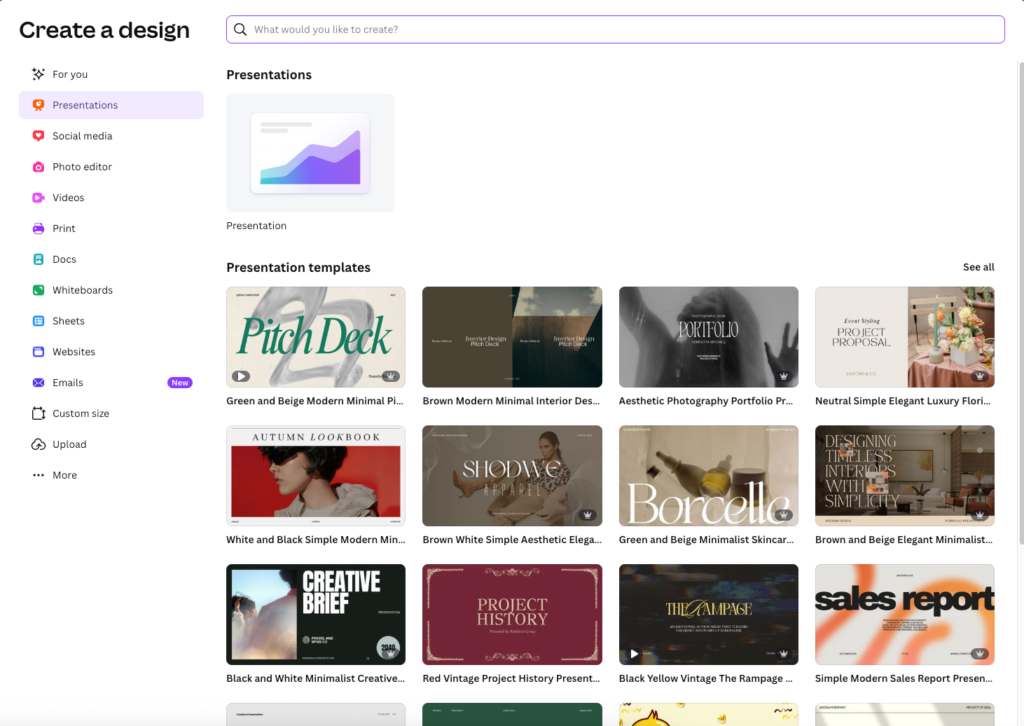
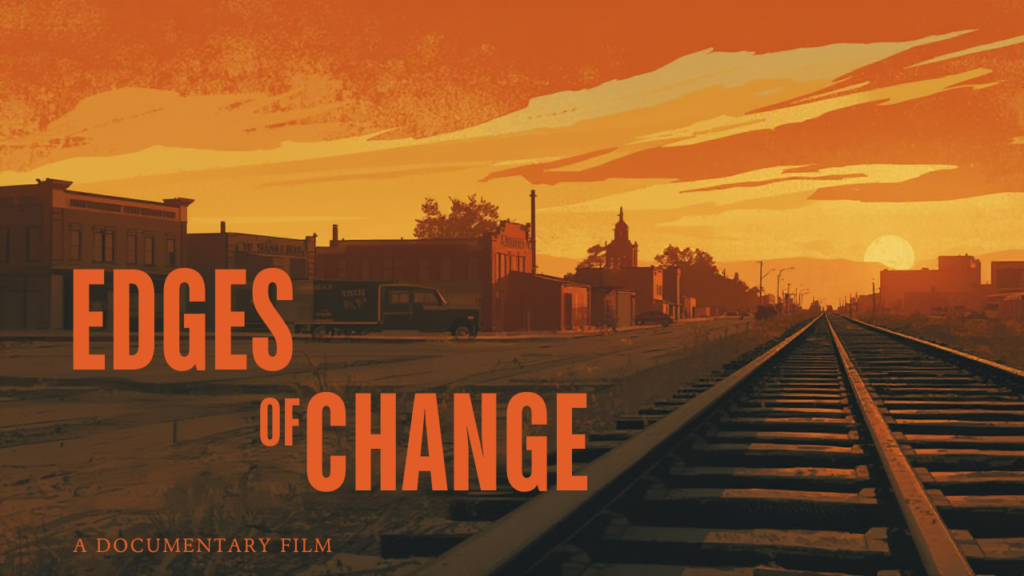
Task: Create a 10-slide deck for the fictional documentary, The Edge of Changes to secure funding, including budget charts and a production timeline.
Adobe:
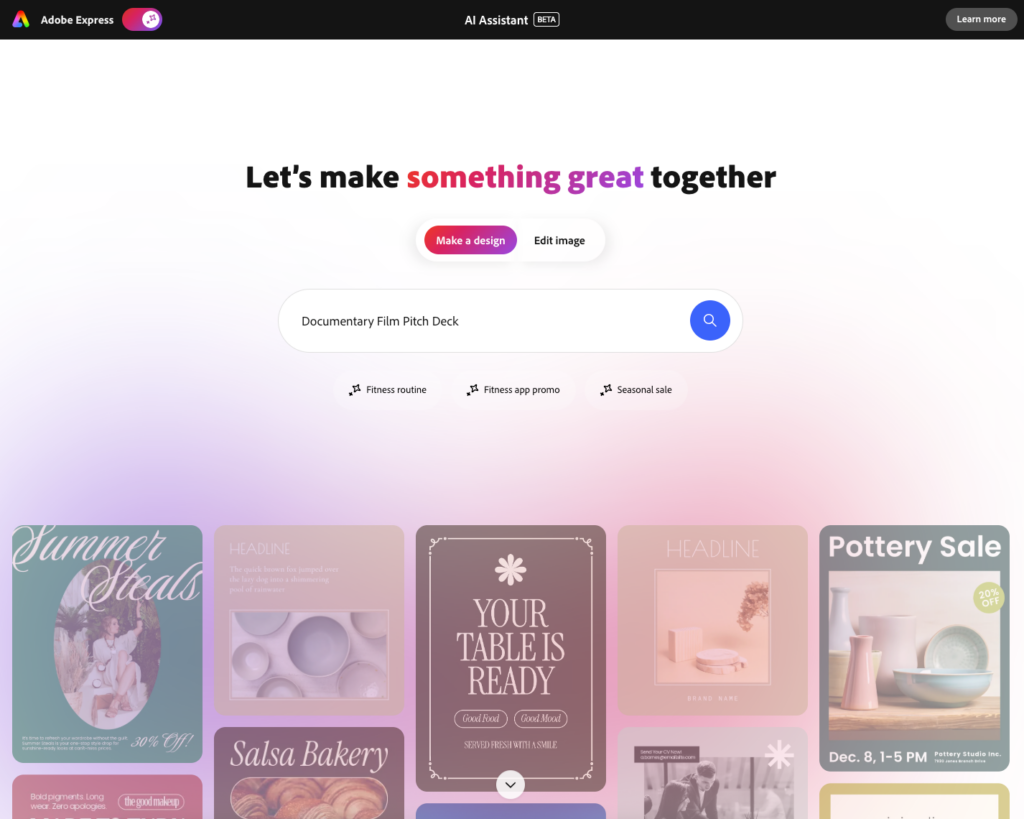
Adobe Express Experience: I started with the AI Assistant to select a template. While the initial deck was only 5 pages and missing some standard documentary elements (timeline, key crew, synopsis), it was incredibly easy to adjust. The design was basic but clean—perfect for creating a quick package to show a potential producer on the fly if you lacked your own visual assets.
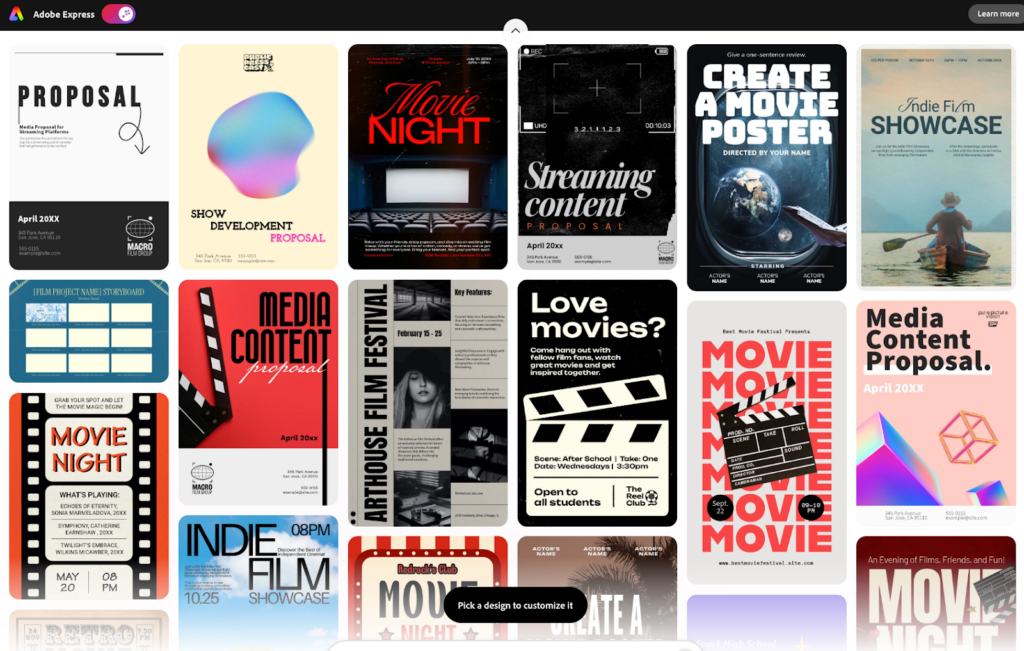
Canva Experience: I started with a specific "Film Presentation" template, but the selection felt weak. While it had a higher page count (10) and included useful sections like a "Production Plan," it completely lacked data visualization tools for the budget. I found myself realizing this would need to do significant customization to make it usable in the real world; the default background, for instance, would have been a disaster if printed.
| Criteria | Adobe | Canva | Winner |
|---|---|---|---|
| Time to complete Pitch Deck | 35 minutes | 35 minutes | Tie |
| Number of Pages in Template | 5 | 10 | Canva |
| Number of Trials | 1 | 1 | Tie |
| Asset Import: Ease of bringing in existing logos/stills? | 5 out of 5 | 5 out of 5 | Tie |
| Typography Control: Kerning, leading, custom font upload? | 4 out of 5 | 4 out of 5 | Tie |
| Data Viz: Ease of creating/editing the budget chart? | 4 out of 5 | 3 out of 5 | Adobe |
| Multi-Page View: Ease of rearranging slide order? | 4 out of 5 | 5 out of 5 | Canva |
| Export: Did the PDF export retain clickable links? | yes | yes | Adobe |
Final Output:
Why?: While the time to complete was identical, the quality of the starting point differed. Adobe’s templates, photo integration, and text editing felt slightly more "high quality" out of the box. Canva required too much "fixing" to make the template feel professional enough for a real pitch.
Task: Edit a teaser trailer with video clips, 1 music track, and animated text overlays.
| Criteria | Canva | Adobe Express |
|---|---|---|
| Time to Complete | 10 minutes | 15 minutes |
| Number of Trials | 1 | 1 |
| Template Quality: Overall Selection? | 5 out of 5 | 5 out of 5 |
| Trimming: Precision of cutting clips (frame accuracy)? | 5 out of 5 | 5 out of 5 |
| Audio: Ease of fading music or ducking audio? | 5 out of 5 | 5 out of 5 |
| Playback: Smoothness of preview while editing? | 5 out of 5 | 5 out of 5 |
| Stock Assets: Quality of built-in music/b-roll (if used)? | 5 out of 5 | 4 out of 5 |
Adobe:
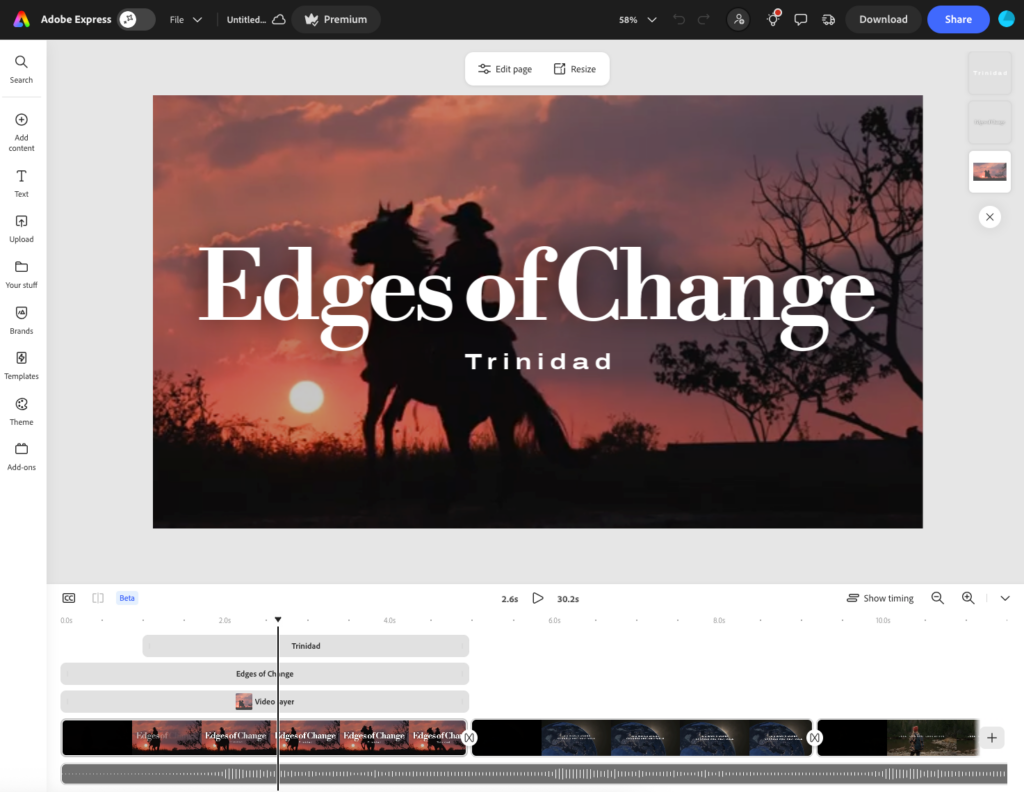
Maybe it’s just luck of the draw, but the first template I chose fit perfectly for my documentary mockup, videos and all. It even had built in graphics that were easy to use and gave me a storyline for the trailer. The music was easy to find, though the selection wasn’t the best for free music. Although I didn’t activate it, they have a build in closed captioning function which in certain cases would give it an edge over Canva which I didn’t see in there.
Canva:
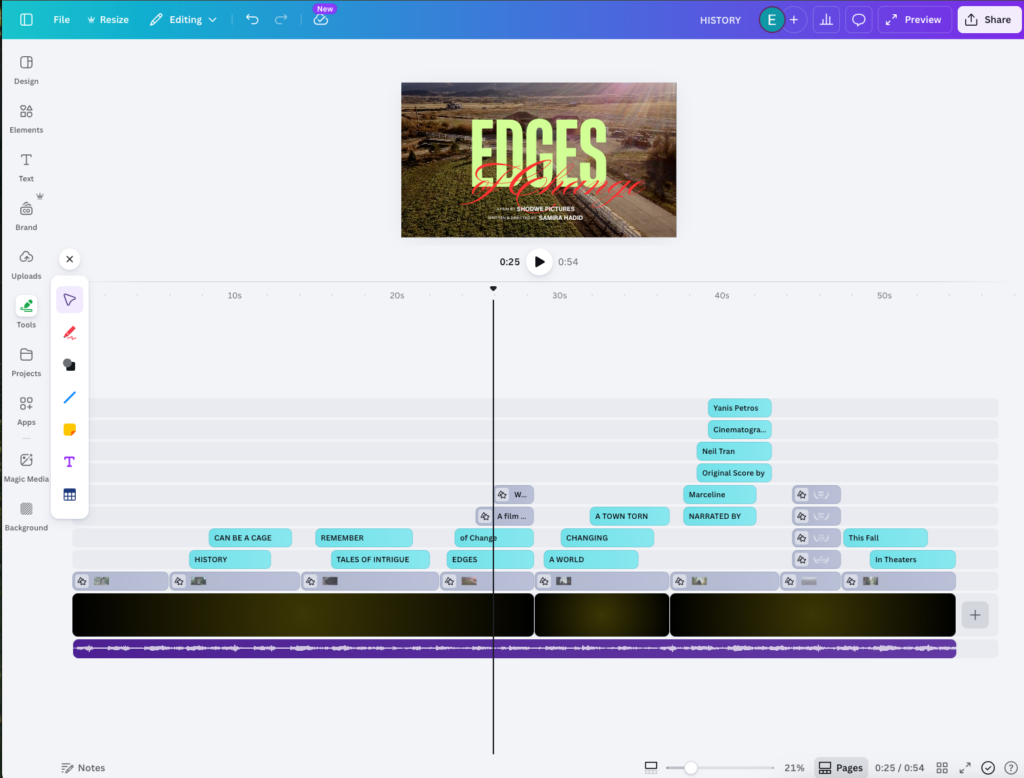
Although the template I chose ended up not looking like Trinidad as much, I think Canva slightly beats out Adobe for having built in music options. The template was easy to edit and had good movement of the elements. Don’t love the title with the red font, but in a real world scenario we’d develop a better title, points for creativity to Canva at least.
Test 2 Final Output:
Test 2 Final Output: Canva
Test 2 Final Output: Adobe
Why: Just the fact that these took me 15 minutes or less each to make kinda makes them both winners. Both platforms have similar editing styles and layouts. One thing that I love about web based editing programs like Canva and Express compared to traditional editing programs is that shortening a clip with transitions between the next is easy and seamless, no worries of a hidden black frame sneaking in when trimming a clip. Although they are very close, I’m giving Canva the edge on this test since I think the overall template was more engaging than Adobes, with having a music track embedded already being the deciding factor.
Task: Create a name key with a transparent background (alpha channel) and a simple "slide-in" animation.
| Criteria | Canva | Adobe |
|---|---|---|
| Time to create | 15 minutes | 15 minutes |
| Number of Trials | 1 | 3 |
| Animation: Professional look vs. "cheesy/bouncy"? | A little cheesy | Kinda boardlining bouncy, too generic |
| Transparency: Ease of finding "Transparent Background" export? | 2.5 out of 5 | 2.5 out of 5 |
| Premiere Check: Did it import cleanly into your NLE? | yes | yes |
| Customization: Could you change colors/timing easily? | yes | yes |
Test 3 Final Output
Test 3 Final Output: Canva
Test 3 Final Output: Adobe
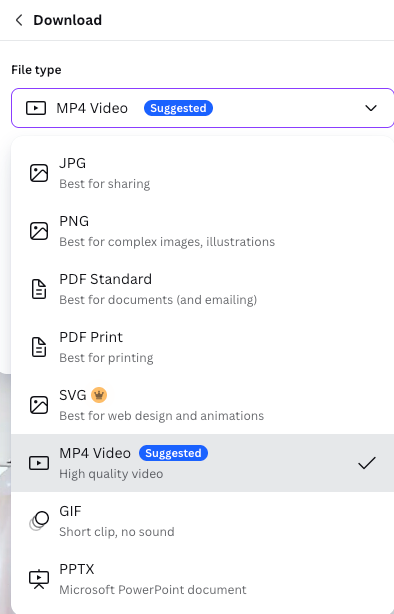
Adobe: It took me three methods to find the right way to create a lower third, landing on a video element, ended up finding one that was editable with a built in interview. One big downside is I didn’t see a place to download the video without a background, though it does do pngs, though those don’t move. If I were to take this into other Creative Cloud programs, I could solve that but remaining in AE seems to be limited in that regard.
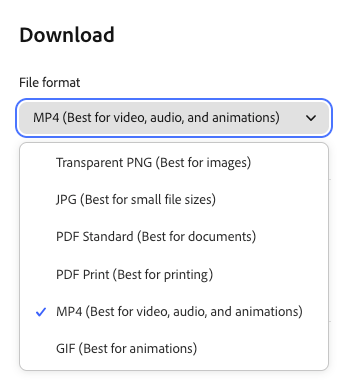
Canva: Canva seemed to have a better search results list for “lower third” but beyond that, it seemed like this platform has the same restrictions as far as creating transparent background videos, even though they do have more export options. If you were looking to insert in this program, fine, but if you want to take out and bring into a Premiere or Divinci, then you’d be stuck with png files which don’t include the moving animations.
Winner: Tie.
Why: Both do the same basic functions, and neither would replace using the programs I currently do that are streamlined into my edit. Without the transparent background functionality, lower thirds made in this manner would be a clunky workflow.
Task: Create a YouTube thumbnail with AI generation.
| Criteria | Canva | |
|---|---|---|
| Time to Complete | 5 minutes | 5 minutes |
| Overall templates | 4 out of 5 | 3 out of 5 |
| Generated images | 4 out of 5 | 3.5 out of 5 |
| Ease of use | 5 out of 5 | 5 out of 5 |
Adobe: I first tried generating a template with only a prompt: “A youtube thumbnail for the release of my documentary film about Trinidad, CO called "Edges of Change"” which gave four cookie-cutter images, of which none I really cared for, so I used a photo of Trinidad and donated to the public domain to add to the prompt which gave a better result.
Canva: Did both tests (with and without the public domain image) the first looks kinda creepy. The second with my photo gave a wildly different location, but I guess it could pass for Trinidad.
Final Output:
Adobe:
1st without image
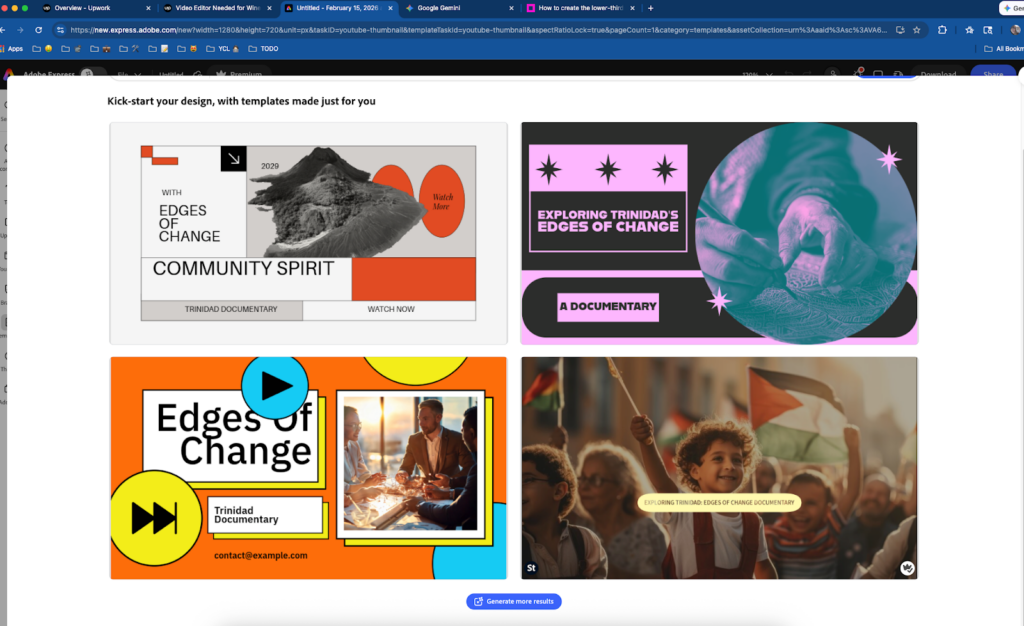
2nd with image
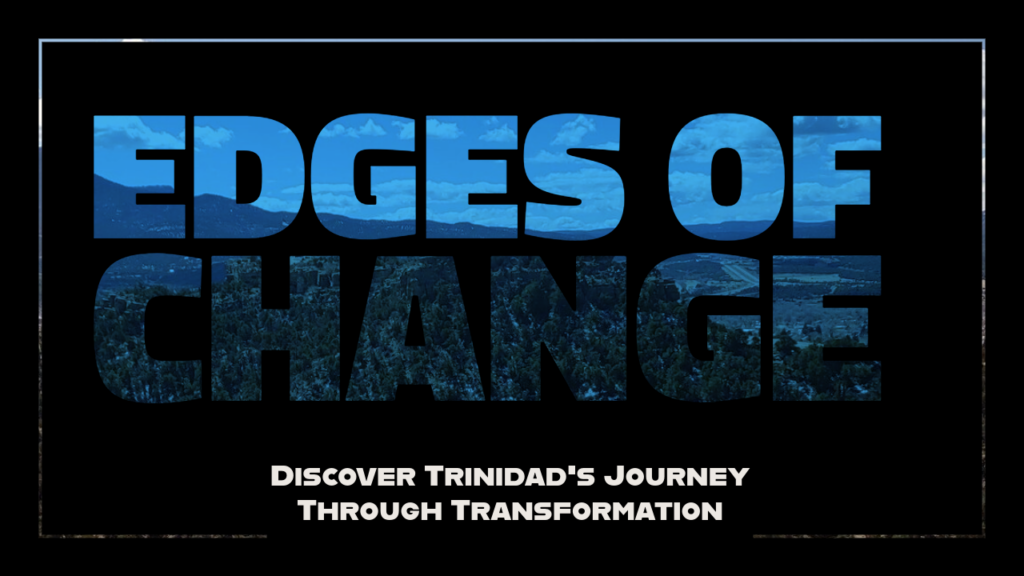
Canva:
1st without image
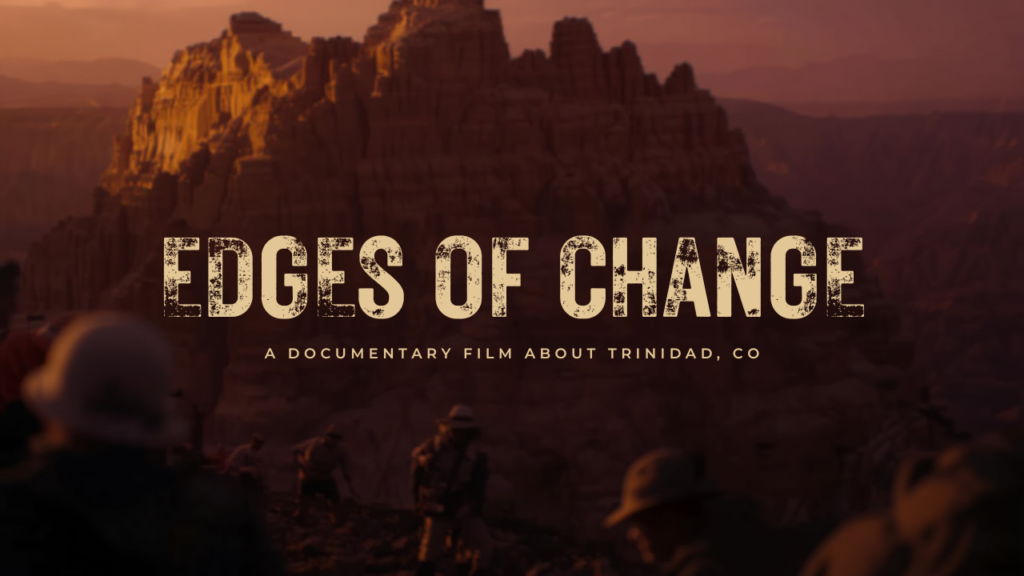
2nd with image
Why?: Although the designs weren’t ideal, if I had to choose one to use, I’d choose Canva’s second design as it is visually the most clickable to me personally.
Task: Create a printable A4/Letter PDF with information about the film.
| Criteria | Canva | Adobe |
|---|---|---|
| Time to Complete | 10 | 15 |
| Variation of designs | 2.5 out of 5 | 2.5 out of 5 |
| Ease of editing | 4 out of 5 | 4 out of 5 |
| Generation of template | 3 out of 5 | 3 out of 5 |
| Print Quality | 4 out of 5 | 4.5 out of 5 |
Final Output:
Canva: It seems that AI doesn’t know what a good EPK looks like, so I tried different prompts and template searches. Ended up settling on a meh design that it came up with. The final pdf export somehow picked up an orphan second page, which is not great if you’re in a hurry and don’t notice before sending off. The lack of deep CMYK color control and bleed precision makes me nervous for high-end print jobs. If you send it as a pdf, the boxes are animated, but that function looks sloppy for print.
Adobe: Ended up using a musician’s resume to edit because the search was off base, same issue as Canva for templates. Excellent PDF handling. It allows for "unflattened" exports, which is vital if you need to send the file to a professional printer for final tweaks.
Why?: For anything that needs to move from the screen to the physical world, Adobe’s print heritage wins out.
If you are a solo creator or social media manager who needs "vibey" content at lightning speed, Canva is your best friend. Its template library is unmatched for sheer creativity.
However, if you are a professional filmmaker already paying for Creative Cloud, Adobe Express is the clear choice. The integration with your existing assets, the commercially safe Firefly AI, and the superior technical export options (like unflattened PDFs and auto-captions) make it a true extension of a professional edit bay.
At no extra cost to you, reviewers and secret shoppers may earn an affiliate commission from links on this site. Read more about our editorial policies. Interested in working with us? Email solutions@comprable.com
A hands-on comparison of Adobe Express vs Google Workspace for filmmakers, exploring design, collaboration, and real-world workflow stress tests.
A hands-on 2026 comparison of Adobe Express vs Canva for filmmakers. We stress-test both platforms across pitch decks, teaser trailers, lower thirds, thumbnails, and festival one-sheets to see which tool actually holds up in a professional workflow.
Top AI consulting firms compared by delivery model, focus area, and build capability. A practical guide for enterprise leaders.
I’ve read 85 books this year, and this list is my top 10 books of the year. P.S. All these are 5/5 stars
From e-commerce and gaming to automotive and care products, discover why Wix stands out as a versatile, fast, and cost-effective platform.
Based on millions of websites, GoDaddy is the fastest website builder with the highest Lighthouse scores of 70/100, Wix secured second with 62/100.
A hands-on comparison of Adobe Express vs Google Workspace for filmmakers, exploring design, collaboration, and real-world workflow stress tests.
A hands-on 2026 comparison of Adobe Express vs Canva for filmmakers. We stress-test both platforms across pitch decks, teaser trailers, lower thirds, thumbnails, and festival one-sheets to see which tool actually holds up in a professional workflow.
Top AI consulting firms compared by delivery model, focus area, and build capability. A practical guide for enterprise leaders.

Comprable is a source of product reviews, comparing prices and features for you.
Product reviews are generated by fellow shoppers like you.