A hands-on comparison of Adobe Express vs Google Workspace for filmmakers, exploring design, collaboration, and real-world workflow stress tests.
hello world!

If someone asks what I do for a living, I usually tell them I’m a documentary filmmaker and video editor. But the reality of running Holloway Video LLC out of Trinidad, Colorado, often feels more like I’m a professional file manager and email diplomat.
As all editors know, about 20% of filmmaking is actually cutting the film. The other 80% is pitching, marketing, scheduling, and surviving an avalanche of daily deliverables. When you're trying to fund a project or market a release, the sheer volume of pitch decks, social carousels, call sheets, and YouTube thumbnails can bury a small indie team.
Recently, I put two of the biggest design platforms head-to-head in an Adobe Express vs Canva stress test to see which could handle this daily churn. While Canva had great templates for quick social posts, Adobe Express ultimately won out for my specific workflow because of its seamless integration with my Premiere Pro edit bay, technical export options, and commercially safe AI.
But that victory got me thinking. Design platforms are great, but the reality is that 90% of my crew communication, budget tracking, and document management happens in Google Workspace. If Google is where all the data lives, can it also be where the design happens?
Google Workspace (Drive, Docs, Slides, and the newly integrated Vids and Gemini AI) is the undisputed heavyweight champion of production logistics and remote crew collaboration. On the other side, Adobe Express is a cloud-based design powerhouse packing native ties to the Creative Cloud ecosystem.
The question for a professional editor is no longer whether you should use these cloud tools to save time, but which ecosystem can actually survive the stress test of a pro-grade workflow. I decided it was time for a new showdown. I put both platforms through five brand-new stress tests—from crowdfunding graphics to remote client reviews—to see which one deserves the top spot on your bookmarks bar.
By the Specs & Stats
Before opening a single project, let's look at the raw numbers. For an editor comparing Adobe Express vs Google, the value proposition looks very different depending on what you prioritize: creative assets or collaborative storage.
| Feature | Adobe Express (Premium) | Google Workspace (Business Standard) | Winner |
| Monthly Cost | $9.99/mo (Included in Creative Cloud) | ~$14.40 / user / mo | Adobe |
| Cloud Storage | 100 GB | 2 TB (Pooled across team) | |
| Stock Assets | ~195 Million (Adobe Stock) | Basic Web/Drive Image Search | Adobe |
| Video Export | MP4 (up to 4K), PNG Sequence | MP4 via Google Vids/Drive | Adobe |
| Brand Kits | Shared Natively w/ CC Libraries | Manual templates / Shared Drives | Adobe |
| AI Engine | Adobe Firefly (Commercially Safe) | Gemini (Deep Drive/Doc integration) | Adobe |
The Creative Stress Tests
To find the breaking point of each tool, I designed five new specific "Stress Tests" tailored to the realities of indie filmmaking and production management.
Here are the Tests:
Task: Create a printable 8.5x11 flyer for a local screening.
Google Experience: I prompted Gemini to create the project based off my fictional documentary project, “Edges of Change” about my town, Trinidad, Colorado. Although it couldn't generate the specific 8.5x11 spec, the image was nicely laid out, even if it hallucinated extra information I didn’t prompt for (like Time and Q&A). Generating a working QR code via AI was a failure, so I resized a Google Slide, used AI for the background image, and imported a working QR code directly from Chrome's built-in generator. Although the AI-generated image of Trinidad is greatly exaggerated, it at least captured the vibe of the town.
Google’s QR Code
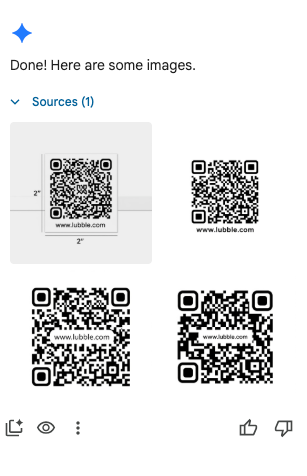
Google’s failed QR Code
Adobe Express Experience: It’s immediately clear that Adobe is built for designers. With a prompt and two quick generations, I found a usable template. I generated a new "Trinidad, Colorado" background, which still looked a bit exaggerated but usable. While the AI couldn't make a QR code, Adobe Express has a built-in QR generator with heavy customization functions. I was even able to remove the background on the QR code and change its color while keeping it scannable, a task Google couldn't touch.
Adobe’s QR Code
Adobe’s failed QR Code
| Criteria | Adobe Express | Winner | |
| Time to Complete | 20 minutes | 45 minutes | Adobe |
| QR Code Generation Ease | 4 out of 5 | 2.5 out of 5 | Adobe |
| Information | 5 out of 5 | 4 out of 5 | Adobe |
| Typography & Visual Polish | 5 out of 5 | 3.5 out of 5 | Adobe |
Final Output Evidence:
Winner: Clearly Adobe.
Why?: Google can generate some lovely images that you can use, but the tools are not up to speed with Adobe, which has expertise in the design realm.
Test 2: The Collaborative Storyboard
Task: Build a 6-panel visual storyboard for an opening documentary sequence. Needs to be able to drop in reference images (or generate them with AI) and have a remote crew member leave specific comments on camera angles.
Adobe Express Experience: I fed my idea into the generator and received an array of templates. I chose a nice one, though for printing purposes, I'd normally invert it to dark text on a white background to save ink. Getting specific single-frame shots generated was difficult, so I settled for approximations. On the collaboration front, Adobe’s online co-working makes communication and adjustments easy.
Google Experience: This is where Gemini shined. I asked it to transcribe the storyboard test concept, and it did so flawlessly. I started a new Google Slide, input the information, and it practically built itself, even adding relevant directorial notes on its own. The only downside is that if you don’t like the generated text on the images, you have to cover it with your own text boxes since it isn't directly editable. And for collaboration, Google makes working with a team just as easy.
| Criteria | Adobe Express | Winner | |
| Time to Complete | 25 minutes | 10 minutes | |
| AI Image Generation for Frames | 2 out of 5 | 5 out of 5 | |
| Real-time Collaboration / Commenting | 5 out of 5 | 5 out of 5 | |
| Grid / Layout Flexibility | 5 out of 5 | 3 out of 5 | Adobe |
Final Output Evidence:
Winner: Google
Why?: Not only did Google generate the boards flawlessly, but it also added relevant direction on its own. It acts as an incredible launching pad for creative teams.
Test 3: The 5-Second Animated Website Header
Task: Create a dynamic, 5-second looping animated header for a documentary's landing page. It needs to feature the film’s title fading in, a subtle zoom on a background image, and export seamlessly as an MP4 or high-quality GIF.
Adobe Express Experience: I inserted a public domain photo of Trinidad into the Beta Video Generator. Adobe initially generated illogical text for the title, so I reran it for just the background zoom and used the text tool for the title. Honestly, it came out looking like something I would have made with HDV back in college. The generation was lackluster, though it does retain the advantage of being fully editable.
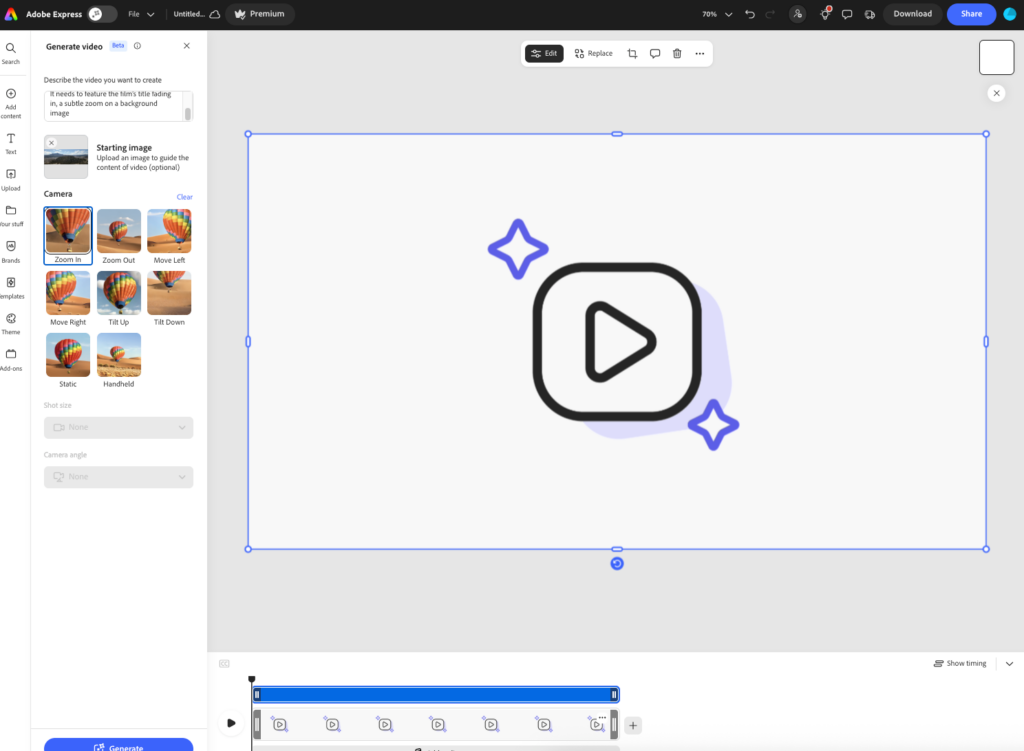
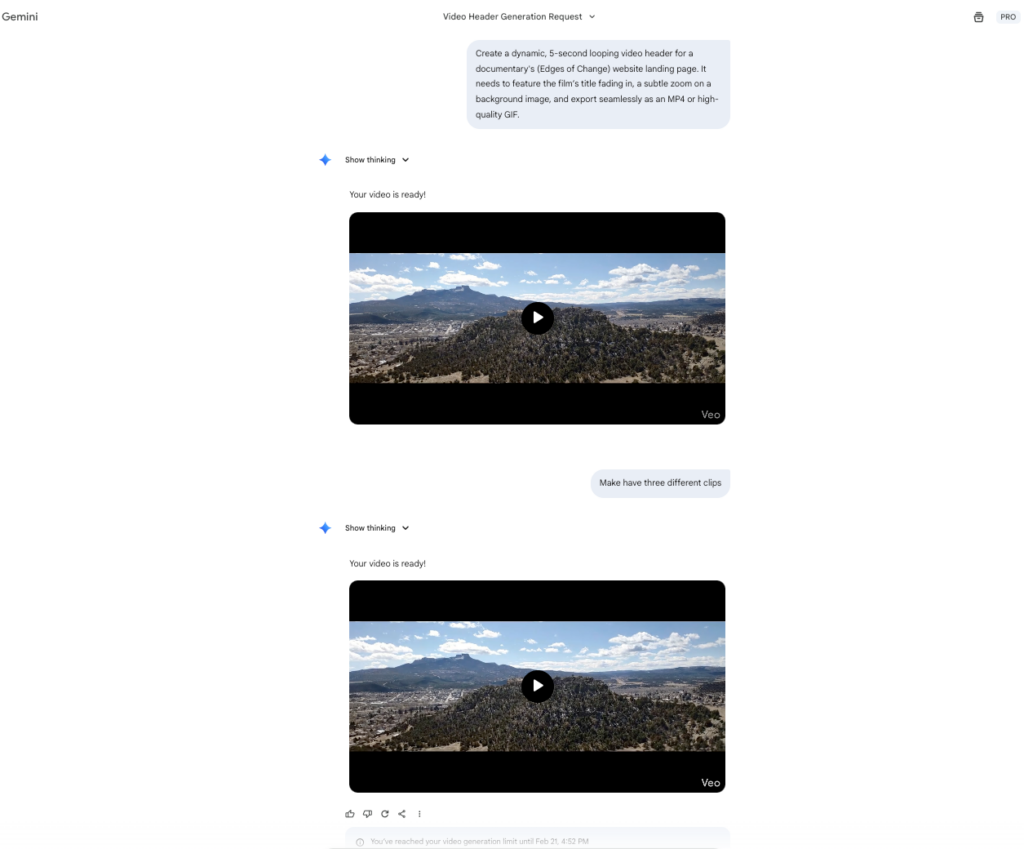
Google Experience: Instead of building this in Slides, which could be done, I decided to let Google do what Google does best, and generate it itself. I have a basic paid plan for $19.99 a month, so I get only two generations a day, and they both came out practically the same. I asked it to split into three shots, but it came out the same. It added music, but it cuts out, which is annoying. But otherwise, I like how it makes the photo move. This would take some editing in your web browser, but could be used for a website.
| Criteria | Adobe Express | Winner | |
| Time to Complete | 15 minutes | 10 minutes | |
| Quality of Clip | 2 out of 5 | 4 out of 5 | |
| Film’s Title Generation | 0 of out 5 | 5 out of 5 | |
| Ease of Creation | 4 out of 5 | 5 out of 5 |
Final Output Evidence:
Winner: Google
Why?: From a pure design and motion standpoint, Google’s output was much nicer, even if I’d still want to pull it into Premiere or DaVinci to clean up the audio. However, Google’s Veo watermark is a noticeable downside for final professional delivery. Also notable, neither made a flawless looping video, so that’s a downside too, but the prompt did also say to zoom in so a better prompt might fix that.
Test 4: The On-Location Call Sheet
Task: Design a daily call sheet. It needs to contain a lot of data (weather, hospital info, schedule, crew contacts) but must look highly professional and be easily readable on a smartphone screen in the bright sun.
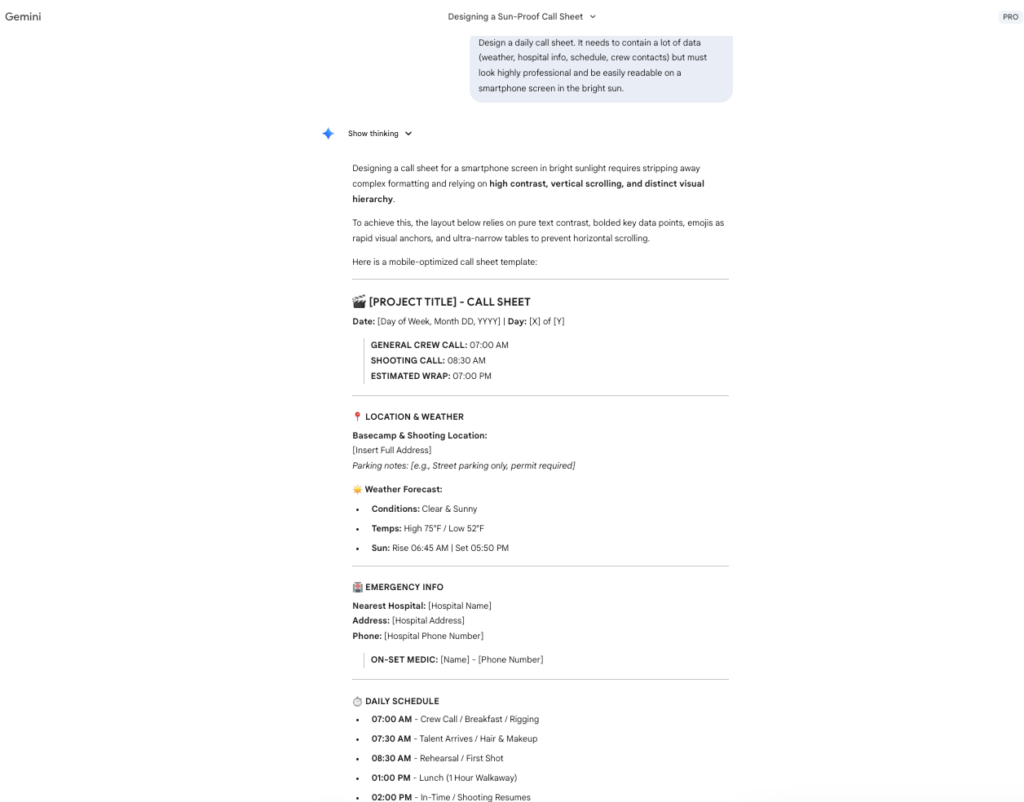
Google Experience: Google is made for this, I prompted Gemini and exported to Google docs, and viola, a shareable Call Sheet. It is two pages, and I’m kinda old school and prefer the tiny box style,the “fit as much as you can into one page” way, but as a functional document, and with a little customization, it could be a great tool. It took longer to write the review on this one then it did to generate the sheet!
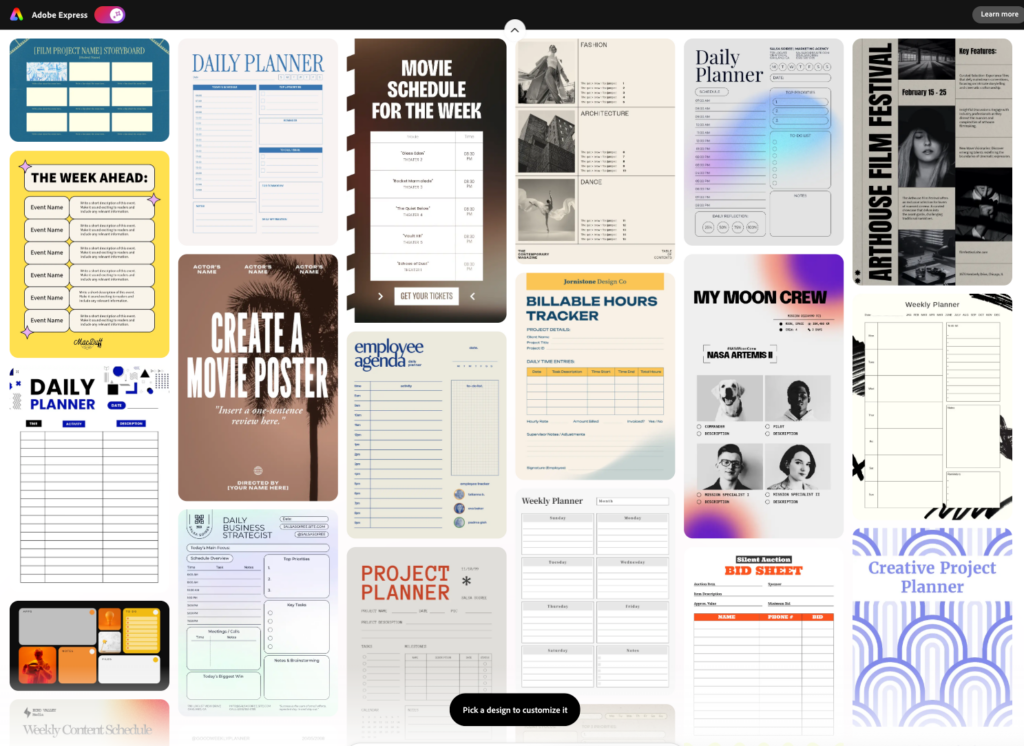
Adobe Express Experience: The design templates simply can't compete with the precision of a Google Doc for raw data. I found an okay template, but the background colors would need heavy adjusting for serious readability. The one perk? It stayed on a single page.
| Criteria | Adobe Express | Winner | |
| Time to Complete | 15 minutes | 5 minutes | |
| Data Entry Efficiency | 3 out of 5 | 5 out of 5 | |
| Mobile Readability | 5 out of 5 | 5 out of 5 | Tie |
| Overall Professional Look | 3.7 out of 5 | 3.5 out of 5 | Adobe |
Final Output Evidence:
Winner: Google
Why?: The flexibility of Google’s editing capabilities gives it a hard advantage over design in this case. By integrating the tabs functions, it could be very useful for finding information on busy sets.
Test 5: The Production Company Logo Bumper
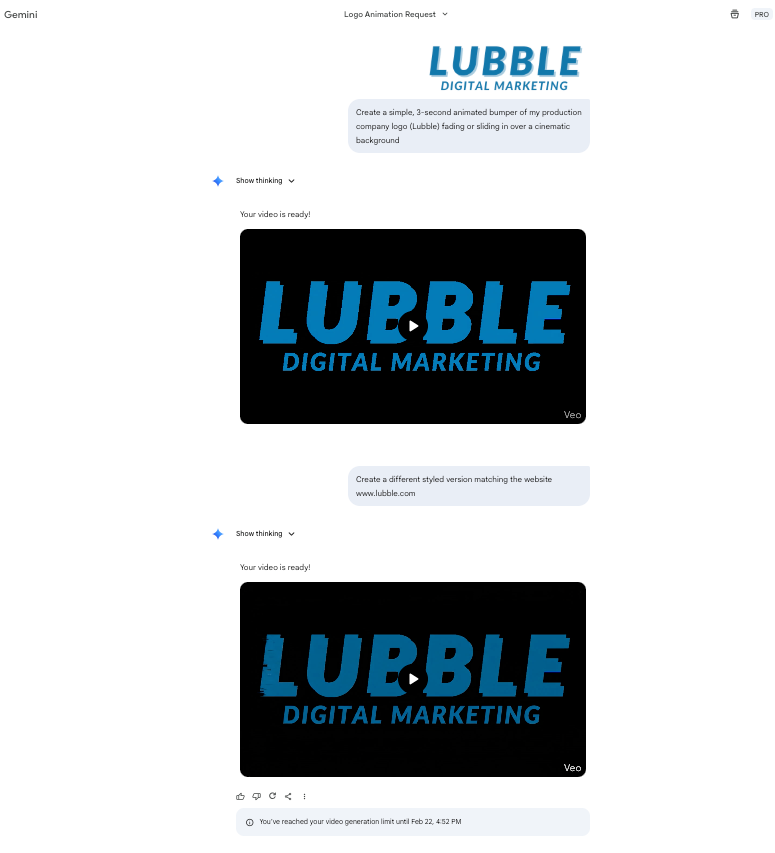
Task: Create a simple, 3-second animated bumper of my production company logo (Lubble) fading or sliding in over a cinematic background, ready to export as a 1080p MP4.
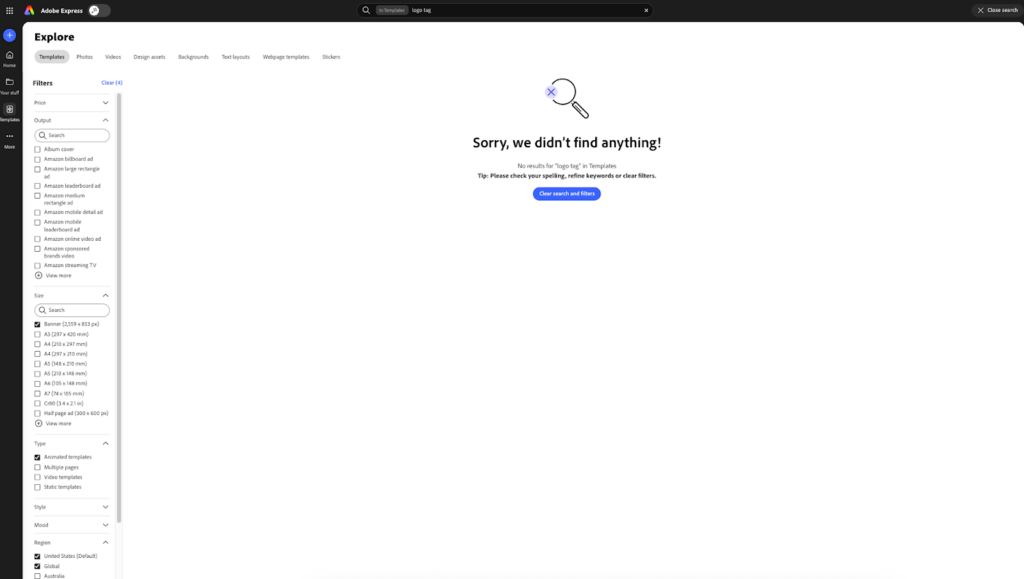
Adobe Express Experience: I tried AI generation first, and it looked terrible. Instead of burning more generative credits (it took 100 or my 4,000 a month allocation), I dug through the templates but couldn't easily find a simple tag. I ended up creating a new video, importing my logo, finding a scenic background, and animating it manually. It hit the 3-second spec but didn't loop. Ultimately, any editor with 15 years of experience is just going to open Premiere Pro to do this, which made the Express experience feel frustrating.
Google Experience: I inserted the prompt, and out popped a video. I asked for revisions, and it quickly adapted. Both generations were significantly longer than the 3-second prompt and featured the Veo watermark, but for a 10-minute automated job, they looked surprisingly decent.
| Criteria | Adobe Express | Winner | |
| Time to Complete | 25 minutes | 10 minutes | |
| Quality of AI generation | 1 out of 5 | 4 out of 5 | |
| Video Export Quality (1080p/4K) | 4 out of 5 | 4 out of 5 | Tie |
Final Output Evidence:
Winner: Google
Why?: If you needed something right now, Google is much easier, though as through most of this test, if you were to need customization it would be better to go to Adobe.
The Final Verdict: Adobe Express vs Google
When it’s all said and done, the right tool really depends on where you are in the production process.
If you’re in that wild, early stage, Google Workspace is hard to beat. Need a storyboard on the fly? Or a detailed call sheet? Maybe you’re just trying to rough out an animated concept for a client meeting. Google’s AI features make all that fast and painless. It’s a lifesaver during the chaotic, team-driven prep work.
But when you’re wrapping things up and need a polished, professional product, Adobe Express takes over. Sure, Google Workspace gets you most of the way there but it gets tripped up when you need perfect files that don’t have watermarks and are ready for commercial use. Adobe really shines here, especially if you’re already used to Premiere Pro or the rest of Creative Cloud. You get those crisp, tailored results that feel finished.
Bottom line? Don’t try to make one tool do everything. Let Google Workspace handle the planning, brainstorming, and coordination. But when it’s time for the final export, the pitch deck, the printed flyers, the official social media graphics, move those files into Adobe Express and let it handle the final stretch.
At no extra cost to you, reviewers and secret shoppers may earn an affiliate commission from links on this site. Read more about our editorial policies. Interested in working with us? Email solutions@comprable.com
A hands-on comparison of Adobe Express vs Google Workspace for filmmakers, exploring design, collaboration, and real-world workflow stress tests.
A hands-on 2026 comparison of Adobe Express vs Canva for filmmakers. We stress-test both platforms across pitch decks, teaser trailers, lower thirds, thumbnails, and festival one-sheets to see which tool actually holds up in a professional workflow.
Top AI consulting firms compared by delivery model, focus area, and build capability. A practical guide for enterprise leaders.
I’ve read 85 books this year, and this list is my top 10 books of the year. P.S. All these are 5/5 stars
From e-commerce and gaming to automotive and care products, discover why Wix stands out as a versatile, fast, and cost-effective platform.
Based on millions of websites, GoDaddy is the fastest website builder with the highest Lighthouse scores of 70/100, Wix secured second with 62/100.
A hands-on comparison of Adobe Express vs Google Workspace for filmmakers, exploring design, collaboration, and real-world workflow stress tests.
A hands-on 2026 comparison of Adobe Express vs Canva for filmmakers. We stress-test both platforms across pitch decks, teaser trailers, lower thirds, thumbnails, and festival one-sheets to see which tool actually holds up in a professional workflow.
Top AI consulting firms compared by delivery model, focus area, and build capability. A practical guide for enterprise leaders.

Comprable is a source of product reviews, comparing prices and features for you.
Product reviews are generated by fellow shoppers like you.